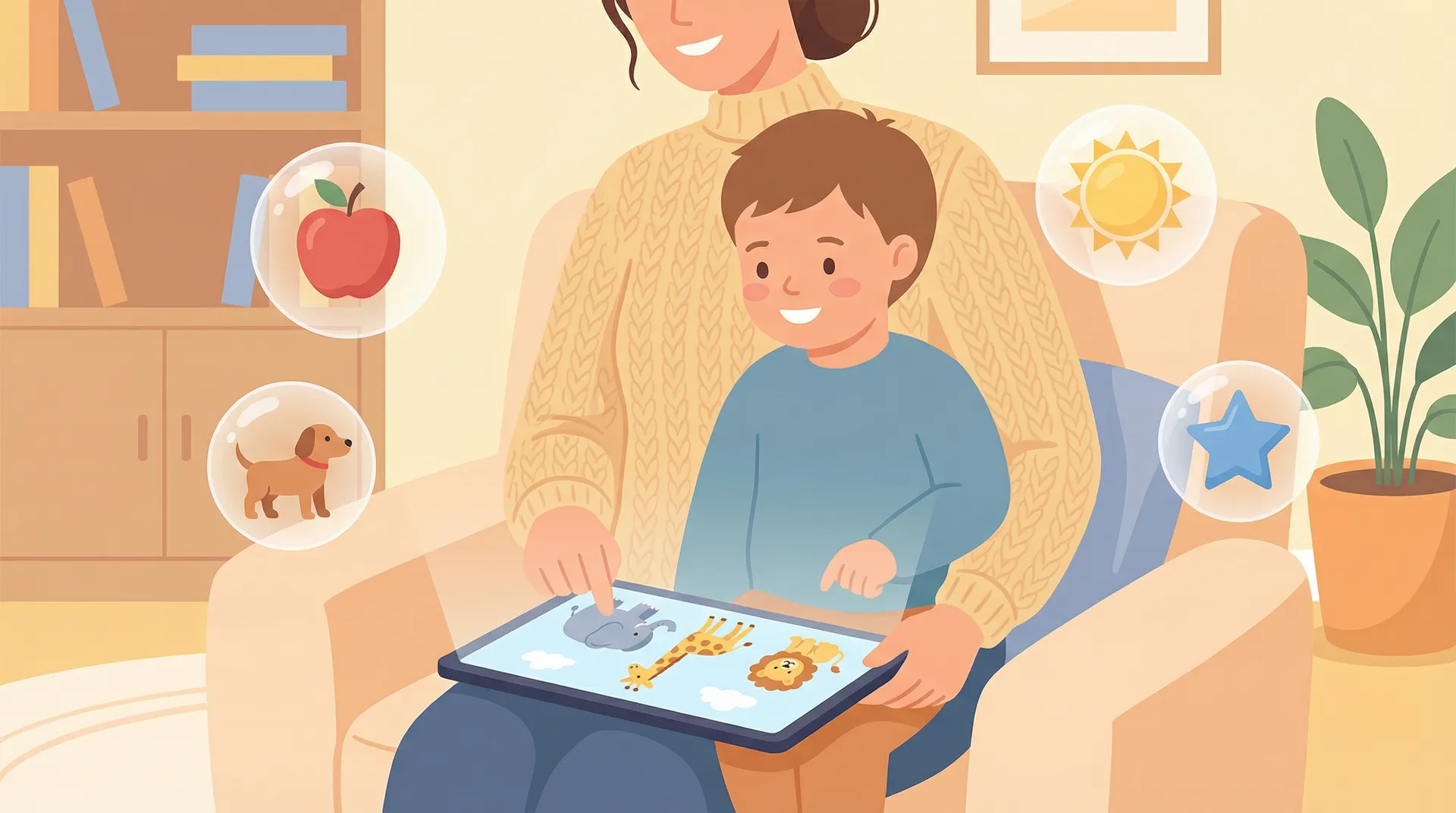
Best English Apps for 3-4 Year Olds: 7 Apps That Don't Require Reading
You download an app that looks perfect. Bright colors, good reviews, designed for "kids." Your three-year-old taps the screen twice, stares at a wall of text she cannot read, and hands the phone back to you. Sound familiar?
Finding a genuine English app for a 3-year-old is harder than it should be. Most language apps are built for children who can already recognize letters, follow written instructions, or sit still for twenty minutes. A three-year-old can do none of those things, and that's completely normal.
We spent weeks testing dozens of apps with actual pre-readers. We timed how long kids stayed engaged before wandering off. We noted which apps required a parent hovering nearby and which ones a child could navigate alone after thirty seconds of guidance. The result is this list: seven apps that teach English without requiring your child to read a single word.
What makes a good English app for 3-4 year olds?
Before we get to the list, here's what we looked for. These five criteria separate apps that work for pre-readers from apps that just claim to.
No reading required
This is non-negotiable. If an app uses text-based menus, written instructions, or expects a child to select words from a list, it fails at age three. Good apps use icons, audio prompts, voice narration, and visual cues to guide children through every interaction.
Short session design (5-10 minutes)
Research on how children's brains learn language confirms that a three-year-old's focused attention span runs about five to ten minutes. Apps that require 15-20 minute sessions to reach a "save point" will frustrate both of you. The good ones deliver a complete learning loop (introduction, practice, reward) in under seven minutes.
Big, forgiving touch targets
Small buttons, precise drag-and-drop, and tiny close icons are a disaster for developing motor skills. Three-year-old fingers are imprecise. Good apps use large tap zones and forgive sloppy swipes.
Safe, ad-free environment
This should be obvious, but many free apps still serve ads between activities. One misplaced tap on a banner ad and your child is watching a car insurance commercial. Every app on this list is either completely free of ads or keeps ads locked away from the child's experience.
Minimal parent involvement after setup
You should be able to set up the app once, hand the device to your child, and step back. Some apps require a parent to read aloud, navigate menus, or approve every transition. That's fine for a shared activity, but not realistic for daily practice.
The 7 best English apps for 3-4 year olds
1. Small Universe
Ages: 3-10 | Price: Free | Platform: Web (PWA), works on any device with a browser
Small Universe is a dedicated English learning app where children explore seven planets (Earth, Mars, Neptune, Jupiter, Uranus, Pluto, and Saturn), unlocking vocabulary through mini-games. The app starts at Pre-A1 on the CEFR scale, which is the absolute beginner level designed specifically for children who know zero English.
What sets it apart for three-year-olds is the GameWheel. Instead of presenting a menu of choices (which requires reading), the app spins a wheel that randomly selects from 17 different game types. The child taps one button and a game begins. No navigation, no menus, no reading.
The 17 game types include matching, bubble pop, memory flip, drag sort, word builder, and more. Games are age-gated, so a three-year-old only sees game types appropriate for their motor skills and cognitive level. More complex games unlock as they grow.
No account creation required. You open the browser, tap a profile, enter a name and age, and your child is playing within fifteen seconds. Progress saves locally on the device.
Pros:
- Zero reading required at any point in the experience
- GameWheel eliminates decision fatigue for pre-readers
- 17 game types prevent repetition boredom
- Age-gating ensures appropriate difficulty
- No account, no email, no credit card needed to start
- Works on any device with a browser, no app store download
Cons:
- Web-only (no native app yet), so requires internet for first load
- Newer app with a smaller content library than long-established competitors
- No offline mode currently
Best for: Families who want a pure English-learning experience with zero friction to start, especially for complete beginners with no English exposure.
2. Khan Academy Kids
Ages: 2-8 | Price: Free (completely) | Platform: iOS, Android, Amazon
Khan Academy Kids is the best free educational app out there. It covers reading, math, social-emotional learning, and creative expression through hundreds of interactive activities. The English content focuses on phonics, vocabulary, and early reading skills.
Five animated characters guide children through lessons with audio narration. The app adapts to each child's level automatically, which works well for three-year-olds who might be at very different stages.
The catch for pure English learning: Khan Academy Kids is a broad curriculum app. English is one subject among many. If you specifically want focused vocabulary and language acquisition, your child will spend time on math, shapes, and social skills too. That's not a bad thing, but it's worth knowing.
Pros:
- Completely free with no ads, no subscriptions, no in-app purchases
- Well-produced with engaging characters
- Adaptive learning path adjusts to child's level
- Offline content available after download
- Trusted brand backed by educational research
Cons:
- Not exclusively an English app; spreads across multiple subjects
- English content leans toward native speakers (phonics/reading), not ESL learners
- Some activities require parent guidance to set up initially
- Limited language-specific progression tracking
Best for: Families who want a free, all-in-one educational app and are happy with English as part of a broader learning mix.
3. Lingokids
Ages: 2-8 | Price: Free (3 activities/day) or Plus at $14.99/month | Platform: iOS, Android
Lingokids calls itself a "Playlearning" platform, and the approach shows. Over 1,200 interactive games, songs, and videos cover English vocabulary alongside math, science, and social-emotional skills. The curriculum is developed in partnership with Oxford University Press, which gives the English content real pedagogical weight.
For three-year-olds, Lingokids works well because most activities are tap-based with audio instructions. The parent dashboard is one of the best we've seen. You can track progress, see which words your child has practiced, and get weekly reports.
The free tier limits you to three activities per day. For a three-year-old with a five-minute attention span, three activities might actually be enough. But if your child wants more, the paywall hits quickly.
Pros:
- Oxford University Press curriculum partnership
- Strong parent dashboard with progress insights
- Good songs and videos that reinforce vocabulary
- Offline mode available with Plus subscription
- kidSAFE certified, completely ad-free
Cons:
- Free version is very limited (3 activities/day)
- $14.99/month is expensive for a toddler app
- Covers multiple subjects, not purely English
- Some activities skew toward ages 5+ and can frustrate younger users
Best for: Families willing to invest in a premium subscription and who value the Oxford-backed curriculum and detailed parent reporting.
4. Studycat
Ages: 3+ | Price: Free trial (7 days), then subscription | Platform: iOS, Android
Studycat is a dedicated language learning app, and that focus is its strength. Every activity is designed to build vocabulary and pronunciation in English (plus Spanish, French, German, and Chinese in separate apps). The app uses interactive games, stories, and songs, all with audio-first design that works for pre-readers.
A recent update removed all game timers, which is a smart decision for three-year-olds. Previously, timed activities stressed younger children who needed more processing time. Now kids can tap, listen, and respond at their own pace.
The new VoicePlay feature uses voice recognition to help kids practice pronunciation. This is unusual in the toddler app space and genuinely useful for language learning. Over 16 million families use Studycat, and it received a Bett Awards 2026 commendation for early years education.
Pros:
- Pure language learning focus, not diluted across subjects
- No timers, so children learn at their own pace
- VoicePlay pronunciation practice with voice recognition
- Available in multiple languages beyond English
- kidSAFE listed and ad-free
Cons:
- Subscription required after 7-day trial (pricing varies by region)
- Smaller variety of game types compared to broader platforms
- Some parents report the interface can feel repetitive after extended use
- Limited free content to evaluate before committing
Best for: Families specifically looking for language learning (not general education) and who want pronunciation practice built into the experience.
5. Duolingo ABC
Ages: 3-6 | Price: Free | Platform: iOS, Android
Duolingo ABC brings the familiar Duolingo approach to early readers with over 700 lessons covering the alphabet, phonics, sight words, and vocabulary. The app uses tracing, drag-and-drop, and interactive stories to build literacy skills.
Here's the important distinction: Duolingo ABC is a reading and phonics app, not a spoken English or vocabulary app. It teaches children to recognize letters, sound out words, and eventually read sentences. If your three-year-old is learning English as a second language, this app focuses on a narrow (but important) slice of that journey.
For pre-readers, the tracing activities work well. Your child traces letter shapes with their finger, which builds both letter recognition and fine motor skills. The interactive stories read aloud while highlighting each word.
Pros:
- Completely free with no ads or in-app purchases
- Strong phonics and letter recognition curriculum
- Multi-sensory activities (tracing, listening, tapping)
- Offline learning available
- Designed by literacy experts
Cons:
- Focuses on reading/phonics, not spoken vocabulary or conversation
- Designed primarily for native English speakers learning to read
- Limited game variety compared to broader language apps
- Not ideal for ESL/EFL learners who need spoken vocabulary first
- The separate Duolingo app (for older kids) can cause confusion
Best for: Families focused specifically on phonics and early reading skills, especially native English speakers or children already exposed to spoken English.
6. British Council LearnEnglish Kids: Playtime
Ages: 6-11 (officially), some content suits younger | Price: Free with subscription for full access | Platform: iOS, Android
The British Council's Playtime app offers over 100 animated songs and stories created by language learning experts. Content is grouped by themes like fairy tales, classic songs, and grammar chants, with each video including optional subtitles.
We include this with an important caveat: the official age range is 6-11, which puts it above our target. However, the nursery rhymes and simple songs (Wheels on the Bus, Old MacDonald, Incy Wincy Spider) work perfectly well for three-year-olds as passive listening and sing-along activities.
This app is better as a supplement than a primary learning tool for pre-readers. The interface is more web-like and less game-oriented than the other apps on this list. A parent will likely need to navigate to the right content and press play.
Pros:
- British Council expertise in English language teaching
- Well-made animated songs and stories
- Videos downloadable for offline viewing
- Trusted, established institution
- Subtitles can be toggled on/off
Cons:
- Officially designed for ages 6-11, not 3-4
- More passive (watching/listening) than interactive
- Interface requires parent navigation for younger children
- Subscription needed for full content access
- Not a structured learning path for beginners
Best for: Families who want British English content from a trusted institution and are happy using it as a supplement alongside a more interactive app.
7. Papumba
Ages: 2-7 | Price: Free trial (7 days), then subscription | Platform: iOS, Android
Papumba takes a broad educational approach with over 500 games, videos, books, and audio stories covering ABCs, numbers, science, and social-emotional learning. Content is available in English, Spanish, and Portuguese. The app is designed for simple tap-to-learn interactions, which makes it accessible for the youngest users.
For three-year-olds, Papumba's strength is its simplicity. Activities are designed for minimal interaction: tap an animal to hear its name, tap a letter to hear its sound, tap a color to see it highlighted. That low-demand model matches where most three-year-olds are developmentally.
The app also includes audio stories and meditations, which some parents use as bedtime content. It's a broader tool than a pure English app, but the English vocabulary exposure through games and videos is real.
Pros:
- Very simple tap-based interactions perfect for ages 2-3
- Audio stories and meditations add value beyond lessons
- kidSAFE certified, ad-free, no in-app purchases
- Trilingual content (English, Spanish, Portuguese)
- Covers social-emotional learning alongside language
Cons:
- Not a dedicated English learning app; very broad focus
- Subscription required after trial
- English content isn't structured as a progressive curriculum
- Limited depth for children who advance quickly
- Smaller brand recognition than competitors
Best for: Families with very young children (2-3) who need the simplest possible interactions and want a gentle introduction to English alongside other topics.
Feature comparison table
| Feature | Small Universe | Khan Academy Kids | Lingokids | Studycat | Duolingo ABC | BC Playtime | Papumba |
|---|---|---|---|---|---|---|---|
| Age range | 3-10 | 2-8 | 2-8 | 3+ | 3-6 | 6-11 | 2-7 |
| Price | Free | Free | Freemium ($14.99/mo) | Free trial + sub | Free | Free + sub | Free trial + sub |
| Pure English focus | Yes | No | No | Yes | Phonics only | Yes | No |
| No reading required | Yes | Mostly | Mostly | Yes | Partially | No | Yes |
| Session length | 5-7 min | 10-15 min | 5-10 min | 5-10 min | 10-15 min | Varies | 5-10 min |
| Game variety | 17 types | High | High | Medium | Low | Low | Medium |
| Offline mode | No | Yes | Paid only | Yes | Yes | Yes | Paid only |
| Account required | No | Yes | Yes | Yes | Yes | Yes | Yes |
| CEFR aligned | Pre-A1 to B1 | No | Informal | No | No | Informal | No |
| Parent dashboard | Basic | Yes | Detailed | Basic | Basic | No | Basic |
| Ad-free | Yes | Yes | Yes | Yes | Yes | Yes | Yes |
What does Pre-A1 actually mean? (And why it matters for your 3-year-old)
You've probably seen "CEFR" mentioned in language learning contexts and glossed right over it. Fair enough. Here's why it actually matters when choosing an app for a three-year-old.
CEFR stands for Common European Framework of Reference for Languages. It's the international standard for describing language ability, used by schools, universities, and employers worldwide. The levels run from A1 (beginner) to C2 (mastery).
Pre-A1 sits below A1. It's the "before the beginning" level, and it's exactly where your three-year-old should start. At Pre-A1, a child is learning to recognize individual words (colors, animals, body parts, food) without any grammar, sentence structure, or reading.
Here's why this matters when choosing an app: most language apps start at A1. They assume the learner already knows a few hundred words and can handle simple sentences like "The cat is big." A three-year-old who knows zero English isn't at A1. They're at Pre-A1.
An app that starts at A1 will feel too hard. Your child will hear sentences they can't parse, see activities that assume vocabulary they don't have, and lose interest. An app that explicitly starts at Pre-A1, like Small Universe's Earth planet (which covers the first 300 words with zero grammar), meets your child exactly where they are.
The practical difference looks like this:
| Pre-A1 (right for 3-year-olds) | A1 (too advanced for beginners) |
|---|---|
| "Tap the apple" (with picture + audio) | "What fruit is red?" (requires comprehension) |
| Single words with images | Short sentences with grammar |
| Listen and match | Read and respond |
| 0-300 vocabulary words | 300-500 vocabulary words |
If your child already has some English exposure (maybe they watch English cartoons or have an English-speaking parent) an A1 app might work. But for true beginners, Pre-A1 is where you want to start.
Three things I wish someone had told me
The "educational" label is meaningless. My friend Clara downloaded four "educational English" apps for her daughter. Two of them were essentially dress-up games with English words scattered on screen like confetti. They weren't structured. They weren't progressive. Her daughter learned the word "tiara" and nothing else. Look for apps with a visible curriculum structure, lessons that build on each other, not random vocabulary thrown at the wall.
Five minutes of focused practice beats thirty minutes of passive watching. When my nephew was three, his parents let him watch English cartoons for an hour a day and wondered why he wasn't picking up words. Passive exposure helps with pronunciation and listening comprehension, but active practice (tapping, matching, repeating) is where vocabulary sticks. A five-minute game where your child matches "dog" to a picture of a dog teaches more than thirty minutes of a dog appearing in a cartoon.
Your child will plateau, and that's fine. Around week three, my niece refused to open any learning app. She had hit the point where the easy words were boring and the new words were hard. We switched her app's game type (Small Universe's GameWheel did this automatically) and the novelty carried her through the plateau. If your child hits a wall, change the format before you change the app.
How to get started today
You don't need to install all seven apps. Here's a practical starting plan based on your situation.
If your child knows zero English: Start with Small Universe. Open it in your browser at smalluni.com, create a profile with your child's name and age, and let the GameWheel pick the first activity. The Pre-A1 Earth planet starts with the most basic vocabulary (colors, animals, numbers) delivered through games that require nothing but tapping and dragging. You can also browse our first 100 English words for kids to see which vocabulary to prioritize. No account needed, no payment, no commitment.
If your child has some English exposure (cartoons, bilingual household): Try Khan Academy Kids alongside Small Universe. Khan Academy gives broad educational coverage for free, while Small Universe provides structured English progression. Use Khan Academy for variety and Small Universe for focused vocabulary building.
If budget isn't a concern: Add Lingokids to the mix. The Oxford-backed curriculum and detailed parent dashboard justify the subscription if you want data on your child's progress. Pair it with a free option like Small Universe or Khan Academy Kids so your child has variety without everything sitting behind one paywall.
Regardless of which app you choose, follow these three rules:
- Cap sessions at 5-7 minutes. Set a timer if you need to. Short, daily sessions beat long, occasional ones.
- Play together once a week. Sit with your child, repeat the words they hear, and make it a shared experience. The other six days, let them explore independently.
- Don't test them. Resist the urge to quiz your three-year-old on what they learned. If they say "apple" while eating an apple next Tuesday, the app is working. Progress at this age is invisible until it suddenly isn't.
Frequently asked questions
Can a 3-year-old really learn English from an app? Yes, but with realistic expectations. At age three, children are in a prime window for language acquisition – our guide on when to start learning English explains why. Apps give them structured exposure to vocabulary and pronunciation. They won't replace human conversation, but they build a foundation of recognized words that makes future learning faster.
How much screen time is appropriate for a 3-year-old? The American Academy of Pediatrics recommends no more than one hour of high-quality screen time per day for children ages 2-5, with co-viewing when possible. A single 5-7 minute session with a learning app fits well within these guidelines and leaves room for other activities. For a deeper look at the evidence, read our piece on screen time and language learning research.
Should I choose an app in British English or American English? At Pre-A1 level, it genuinely doesn't matter. The vocabulary differences between British and American English ("lorry" vs. "truck") don't show up until much later levels. Choose whichever app your child enjoys most, regardless of the English variant.
What if my child loses interest after a few days? This is normal. Try a different app from this list, or take a break for a week and return. Forcing a three-year-old to use a learning app turns it into a chore. The goal is positive association with English, not perfect consistency. For a detailed look at how Duolingo, Lingokids, and Small Universe compare on keeping kids engaged, see our three-way app comparison.
Looking for apps for older children? See our guide to the best English apps for 5-7 year olds. You can also explore our broader roundup of the best English games for kids.
Last updated: March 2026. We re-test and update this article quarterly. App prices and features may change; check each app's website or store listing for current information.
Small Universe is our app. We included honest pros and cons above, just as we did for every other app on this list. We think parents deserve transparent comparisons, not disguised ads.
Try Small Universe free
17 game types. 7 planets. Zero ads. Your child learns English through space exploration.
Play free — no account needed