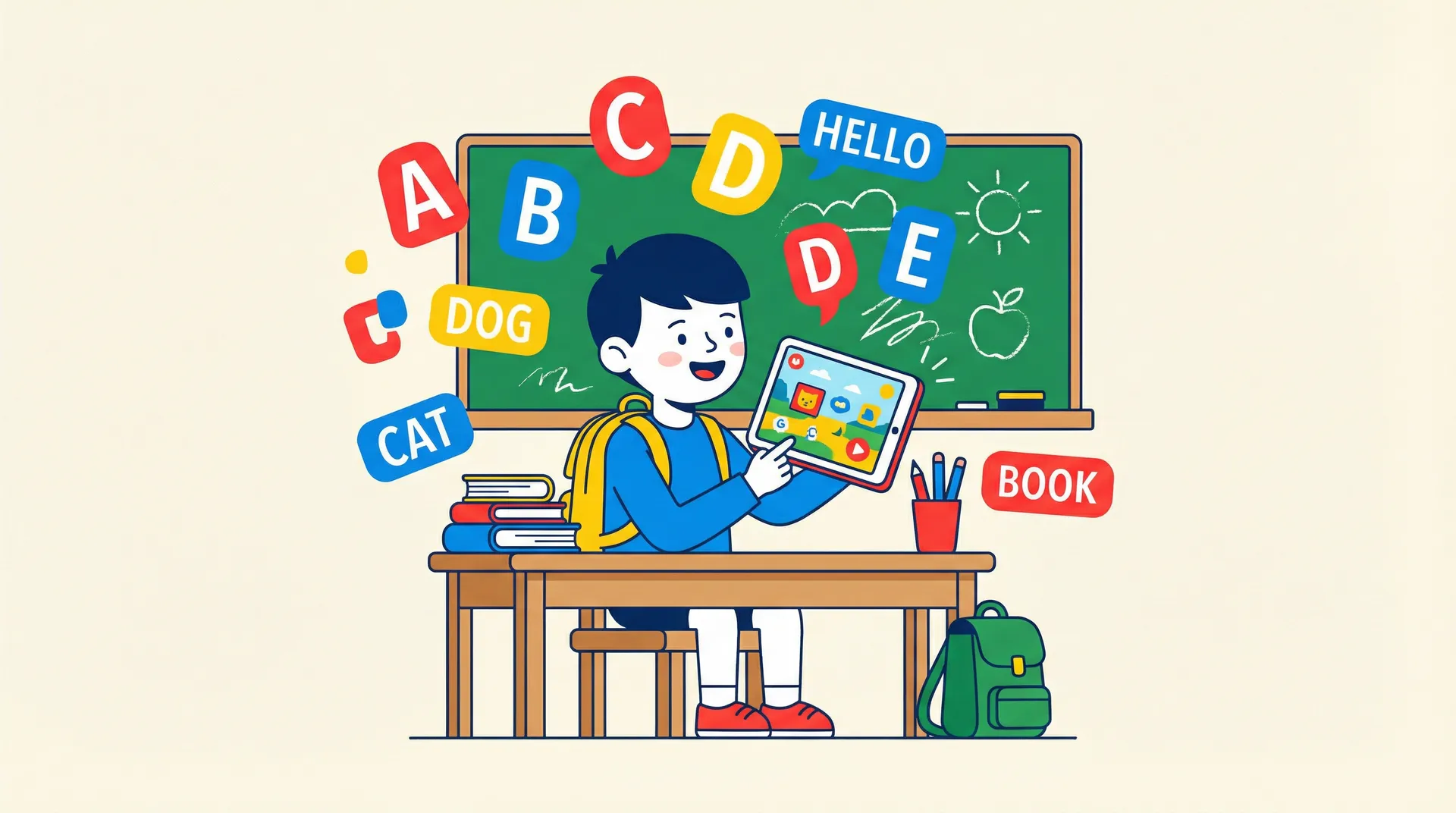
Best English apps for 5-7 year olds: 7 apps tested by real parents
Your five-year-old has been tapping away at the same toddler app for months. The songs are too babyish, the games are too easy, and they've memorized every animal name the app has to offer. If that sounds familiar, your child may have hit what we call the novelty cliff. They're ready for more. But more of what, exactly?
The 5-7 age range is a sweet spot for language learning. Kids are starting to read, their attention spans are stretching, and they can handle real structure. But they're still kids. They need play, color, story, and reward. The wrong app bores them. The right one makes them beg for "just five more minutes."
We tested seven English learning apps with families over six weeks, gathering feedback from parents and watching how kids actually used each one. Here's what we found.
What 5-7 year olds actually need from a language app
Before we get to the reviews, it helps to understand what makes this age group different from toddlers and older kids. The gap matters when choosing an app.
Reading is entering the picture
Most five-year-olds are beginning to recognize letters and simple words. By seven, many are reading short sentences independently. An English app for this age group needs to bridge that transition. Apps that rely only on pictures and audio will hold back a six-year-old who's ready to see written words. Apps that demand fluent reading will frustrate a five-year-old who isn't there yet.
The best apps for this range layer reading in gradually. They show written words alongside audio and images, so kids absorb spelling patterns naturally rather than being tested on them prematurely.
Longer attention, higher standards
A three-year-old will happily tap bubbles for ten minutes and call it learning. A six-year-old sees through that. Kids in the 5-7 bracket need genuine variety in their activities. They want games that feel different from each other, progression they can see, and challenges that make them feel clever rather than patronized.
The CEFR A1 level: what it actually means
You may have seen "CEFR" mentioned on language apps without knowing what it means. The Common European Framework of Reference is a standardized scale for language ability, used by schools and language programs worldwide. We explain each level in detail in our guide to CEFR levels for kids.
A1 is the first real level, sometimes called "beginner." At A1, a child can introduce themselves, understand simple questions about familiar topics, recognize everyday words, and use basic phrases in context. Think: "My name is Luca. I like cats. The ball is red." It's not conversational fluency. It's the foundation everything else builds on.
For 5-7 year olds learning English as a second language, reaching solid A1 is a meaningful and realistic goal. CEFR-aligned apps give you a clearer picture of where your child stands than apps that use vague descriptors like "intermediate" without defining what that means.
How apps complement school
A common question: does an app replace English class? No. But the right app strengthens what school teaches in ways a classroom can't. School gives structure, teacher interaction, and peer practice. An app gives unlimited repetition, instant feedback, and the freedom to move at your child's own pace.
The best combination is an app that reinforces the same vocabulary and grammar your child encounters at school, without just replicating worksheets on a screen.
The 7 best English apps for 5-7 year olds
1. Small Universe
Small Universe is a space-themed English learning app for ages 3-10. Players guide an alien companion through seven planets – Earth, Mars, Neptune, Jupiter, Uranus, Pluto, and Saturn – completing vocabulary lessons delivered as mini-games. The app follows CEFR progression from Pre-A1 through B1, with 102 lessons and 17 game types.
What sets it apart for 5-7 year olds: this is the age where the full game library unlocks. At five, kids get access to reading-integrated games like Word Builder, Sentence Scramble, and Picture Dictation. These games ask children to construct words letter by letter, reorder words into sentences, and write what they hear. They're demanding enough to engage a sharp seven-year-old while staying playful enough for a five-year-old just starting to read.
The Game Wheel spins to pick a random compatible game for each lesson, so kids encounter the same vocabulary across different activity types. One session they might match pictures to words. The next, they're popping bubbles. The one after that, they're battling a boss alien using the same vocabulary set. It keeps repetition from feeling repetitive.
Maria, a mother of two in Lisbon, told us her six-year-old son refused to believe he was studying. "He thinks he is saving planets," she said. "He asks to play it the way he asks for cartoons."
Pros:
- 17 game types prevent boredom and reinforce vocabulary through varied activity
- Reading-integrated games (builder, scramble, dictation) support emerging readers
- CEFR-aligned progression gives parents clear benchmarks
- Space narrative with companion evolution keeps kids invested long-term
- Multi-profile support for up to 4 siblings
- Boss battles provide genuine challenge
Cons:
- Web-first PWA, not yet a native App Store download
- Newer app with a smaller content library than established competitors
- No speech recognition yet
Best for: 5-7 year olds who need variety, like narrative-driven play, and are ready for reading-integrated challenges.
Price: Free to start, with premium subscription for full access.
Try Small Universe free – all 17 game types unlocked for ages 5 and up.
2. Duolingo
Duolingo is the most recognized language learning app in the world, and for good reason. Its structured lesson paths, streak system, and gamified progression have made it the default choice for millions. The app covers dozens of languages, and its English course is among the most polished.
For younger kids, Duolingo works best from around age 7 onward. The interface assumes basic reading ability, and the streak-based motivation system rewards daily consistency, which older kids respond to more reliably. Lessons are short and well-paced, with a mix of translation, listening, and matching activities.
Where Duolingo falls short for this age group is variety. The core gameplay loop is essentially the same across all lessons: translate, match, select. For a seven-year-old with patience, this works. For a restless five-year-old, it can feel monotonous.
Pros:
- Excellent structured progression with clear skill trees
- Speech recognition for pronunciation practice
- Massive community and proven methodology
- Strong free tier with generous daily content
Cons:
- Limited game variety compared to kids-specific apps
- Interface isn't designed specifically for young children
- Streak pressure can create anxiety for sensitive kids
- Best suited for the older end of this age range (7+)
Best for: Seven-year-olds who can read independently and respond well to daily routine and visible progress tracking.
Price: Free with ads and heart limits. Super Duolingo: $12.99/month or $59.99/year. Family plan: $119.88/year for up to 6 users.
3. Lingokids
Lingokids is a "playlearning" platform for ages 2-8, developed with Oxford University Press. It covers not just English but a broader range of subjects including math, science, and social-emotional skills. The English component is solid, with over 650 learning objectives delivered through games, songs, and videos.
For the 5-7 range, Lingokids sits in interesting territory. It's excellent for the younger end – a five-year-old will find plenty to engage with. But by seven, some kids may find the activities skew young. The holistic approach is a strength if you want a single app covering multiple subjects, but it means the English depth is spread thinner than a dedicated language app.
One standout is the Progress Center, which gives parents a clear dashboard showing what their child has worked on and how they're developing. The Oxford partnership also means the English curriculum follows established pedagogical standards.
Pros:
- Oxford University Press curriculum backing
- Broad subject coverage beyond just English
- Excellent for 5-year-olds and younger kids in the range
- Up to 4 child profiles per subscription
- 100% ad-free with no in-app purchases
- Good parent reporting tools
Cons:
- English content is part of a broader curriculum, not the sole focus
- Can feel too young for advanced 7-year-olds
- Upper age limit of 8 means limited growth runway
- Premium subscription required for full access
Best for: Five-year-olds whose parents want a broad learning platform that includes English alongside other skills.
Price: $14.99/month with annual discounts available. 7-day free trial.
4. Studycat
Studycat (formerly Fun English) is a game-based language learning app for children aged 3-8, used by over 14 million families. It focuses on language learning specifically and covers English, Spanish, French, German, and Chinese. The app received "Highly Commended" recognition at the Bett Awards 2026.
The standout for 5-7 year olds is VoicePlay, a speech recognition system that processes audio on-device. Kids speak into the microphone and get real-time feedback on their pronunciation. Few competitors in the kids space do this well, and it's particularly valuable at an age when children are building confidence speaking a second language.
The games are well-designed and colorful, though the total variety is narrower than some competitors. Each lesson focuses on a specific vocabulary set with a handful of activity types to reinforce it.
Pros:
- VoicePlay speech recognition built for kids
- Focused specifically on language learning
- Multiple language options if your family is learning more than English
- kidSAFE-certified
- Clean, colorful design that appeals to the target age
Cons:
- Fewer game types than some competitors
- Upper age limit of 8 limits long-term use
- Full content requires paid subscription
- Some parents report repetitive gameplay in extended sessions
Best for: 5-7 year olds who need pronunciation practice and whose families value speech recognition features.
Price: $14.99/month or $59.99/year. 7-day free trial available.
5. Dinolingo
Dinolingo takes a different approach from the game-heavy apps on this list. It's primarily video-based, with animated lessons, songs, and stories that teach vocabulary and phrases. Worksheets and flashcards supplement the video content. The app covers 50 languages and targets ages 2-14.
For the 5-7 range, Dinolingo works well as a passive learning supplement. The videos are engaging and introduce vocabulary in context through stories. The worksheets give it a more structured, school-like quality that some parents prefer. But it lacks the interactive game mechanics that keep kids actively engaged in other apps.
Thomas, a father in Berlin, uses Dinolingo alongside a more interactive app. "The videos are great for car rides and wind-down time," he told us. "But my six-year-old needs something he can tap and play when he wants to really engage."
Pros:
- Good video content with engaging animations
- Worksheets provide printable, school-style practice
- Covers 50 languages – exceptional breadth
- One subscription covers up to 6 children
- Wide age range (2-14) means long-term value
Cons:
- Primarily passive (video-based) rather than interactive
- Less gamification than competitors
- Higher price point than most alternatives
- Interface feels dated compared to newer apps
Best for: Families who want video-based learning to supplement a more interactive app, or children who respond well to watching and listening.
Price: $19.99/month or $199.99/year. 7-day free trial.
6. Khan Academy Kids
Khan Academy Kids is completely free. No ads, no subscriptions, no in-app purchases. It covers reading, math, social-emotional learning, and creative activities for ages 2-8. The English and reading content includes thousands of games, interactive books, and lessons aligned with educational standards.
For 5-7 year olds, it's a solid all-rounder. The reading and ELA content is genuinely strong, with progressive phonics instruction and a library of interactive books. The app adapts to each child's level and suggests appropriate activities.
The catch for English language learners: Khan Academy Kids teaches English literacy, not English as a second language. It assumes the child is learning to read in English as their primary language. For ESL purposes, the vocabulary building is useful, but there's no CEFR alignment, no translation support, and no second-language scaffolding.
Pros:
- Completely free with no ads or paywalls
- Strong reading and phonics instruction
- Broad curriculum covering multiple subjects
- Adaptive learning path
- Used in schools, with teacher and classroom tools available
Cons:
- Designed for native English speakers, not ESL learners
- No CEFR alignment or second-language teaching methodology
- Upper age limit of 8 limits growth
- English content isn't the sole focus
- Can't track language-specific progress separately
Best for: Families on a budget who want a free, high-quality app for general English literacy development. Strongest for native or near-native speakers.
Price: Free. No ads. No in-app purchases.
7. Duolingo ABC
Duolingo ABC is a separate app from Duolingo, focused entirely on teaching children to read. It targets ages 3-7 with over 700 bite-sized lessons covering the alphabet, phonics, sight words, and reading fluency. Like Khan Academy Kids, it's completely free with no ads.
For the 5-7 range, Duolingo ABC fills a specific niche: reading readiness. The phonics instruction is well-sequenced, the interactive stories build fluency, and the lessons are short enough (five minutes or less) to fit into any routine. Multi-sensory activities like letter tracing and drag-and-drop exercises keep hands and minds active.
But Duolingo ABC is a reading app, not a language learning app. It teaches the mechanics of reading English – letter sounds, word formation, sentence flow – rather than vocabulary or grammar. For ESL families, it's most valuable as a complement to a language-focused app.
Pros:
- Completely free with no ads or in-app purchases
- Excellent phonics and reading instruction
- Designed by literacy experts
- Short lessons suit busy schedules and short attention spans
- Offline access available
Cons:
- Teaches reading, not language – no vocabulary or grammar focus
- Upper age limit of 7 means limited runway for older kids
- Not designed for ESL learners specifically
- iOS and Android only
Best for: Five and six-year-olds who need to build foundational reading skills in English to support their overall language learning.
Price: Free. No ads. No in-app purchases.
Feature comparison table
| Feature | Small Universe | Duolingo | Lingokids | Studycat | Dinolingo | Khan Academy Kids | Duolingo ABC |
|---|---|---|---|---|---|---|---|
| Age range | 3-10 | All ages | 2-8 | 3-8 | 2-14 | 2-8 | 3-7 |
| Sweet spot for 5-7 | Yes | 7+ | 5-6 | 5-7 | 6-8 | 5-7 | 5-6 |
| CEFR aligned | Yes | Partial | No | No | No | No | No |
| Game types | 17 | 3-4 | 10+ | 6-8 | N/A (video) | 8+ | 5-6 |
| Reading integration | Yes | Yes | Partial | Partial | Worksheets | Yes | Yes (primary) |
| Speech recognition | No | Yes | No | Yes | No | No | No |
| ESL-specific design | Yes | Yes | Partial | Yes | Yes | No | No |
| Offline mode | Yes (PWA) | Paid only | Yes | No | No | Yes | Yes |
| Free tier | Yes | Yes | Limited | Limited | No | 100% free | 100% free |
| Multi-child profiles | 4 | No | 4 | Yes | 6 | Yes | Yes |
| Price (annual) | See website | $59.99 | ~$90 | $59.99 | $199.99 | Free | Free |
How these apps complement school English
If your child is in kindergarten or early primary school, they're likely getting some English instruction already – full immersion, a few hours per week, or literacy-focused lessons. Here's how apps fit into the bigger picture.
A classroom teacher introduces "colors" once, maybe twice. An app can revisit the same vocabulary across ten different game types over several weeks, embedding it in long-term memory. That spaced repetition is one of the strongest arguments for supplementing school with an app.
There's a confidence angle, too. A shy five-year-old who already knows the vocabulary coming into class participates more. They raise their hand. They volunteer answers. The app didn't replace the teacher – it gave the child a head start that made the teacher's job easier.
And apps fill gaps without pressure. School moves at the pace of the class. If your child missed a concept or needs extra time with a topic, an app lets them practice privately without the social pressure of falling behind peers.
One approach we saw work well during testing: parents used the app three to four times per week for 10-15 minutes, loosely aligning the vocabulary themes to what the child was covering in school. No strict schedule, no forcing it. Just availability.
Explore how Small Universe's 102 lessons map across seven vocabulary planets.
Our pick by sub-age
The right app often comes down to where your child sits within the 5-7 range. A young five is very different from a confident seven-year-old.
Just turned 5
At this age, your child is likely pre-reading or just beginning to recognize letters. They still benefit from audio-heavy, visually rich activities but are ready for more structure than a toddler app provides.
Our pick is Lingokids. The broad curriculum, Oxford-backed methodology, and age-appropriate design make it the strongest choice for younger fives. (We also have a dedicated guide to the best English apps for 3-4 year olds if your child is closer to the younger end.) Pair it with Duolingo ABC if you want to build reading readiness alongside language skills.
Also worth a look: Small Universe, where the space narrative captures imagination while gradually introducing reading-integrated games as the child progresses.
Age 6: the sweet spot
Six-year-olds are the ideal audience for most apps on this list. They can handle varied game types, follow simple narrative arcs, and are developing the reading skills needed for word-based activities. Engagement and variety matter most at this age.
Our pick is Small Universe. The full library of 17 game types prevents the boredom that sets in with simpler apps, and the CEFR-aligned progression gives you clear benchmarks. The Game Wheel keeps sessions unpredictable.
Also worth a look: Studycat, especially if pronunciation practice is a priority for your family.
Age 7: ready for structure
By seven, most children can read simple sentences, follow instructions independently, and sustain focus for longer sessions. They're ready for apps that feel more like real learning tools and less like toddler entertainment.
Our pick is Duolingo. For a deeper look at how these three apps stack up, see our Duolingo vs Lingokids vs Small Universe comparison. The structured skill tree, streak motivation, and speech recognition suit a seven-year-old's growing capacity for self-directed learning. The content library is vast enough that they won't outgrow it.
Also worth a look: Small Universe for kids who still want narrative and variety, or Khan Academy Kids for families who want a free, broad-curriculum option.
The bottom line
There's no single best English app for every child between five and seven. The right choice depends on your child's reading level, attention style, and where they are on the language learning journey. What matters most is consistency – ten minutes a day with a good app beats an hour per week with a perfect one.
If your child craves variety and narrative, try Small Universe. If they respond to structure and routine, try Duolingo. If they're at the younger end and you want broad learning, try Lingokids. If budget is the deciding factor, Khan Academy Kids and Duolingo ABC are genuinely excellent and completely free.
Most of these apps offer free trials. Download two or three, let your child try each for a few days, and watch which one they ask to open again. That's your answer. For a broader look at game-based options, see our guide to the best English games for kids.
Start your child's space adventure with Small Universe – free to try, no credit card needed.
Try Small Universe free
17 game types. 7 planets. Zero ads. Your child learns English through space exploration.
Play free — no account needed